Create an Application
- From the Developer Portal, navigate to Applications on the top menu bar
- Click the CREATE AN APP button in the top right of the page
- Fill in the details of your application. Name and Description are mandatory, then click NEXT
- Ignore the optional Type and Client ID fields and click NEXT
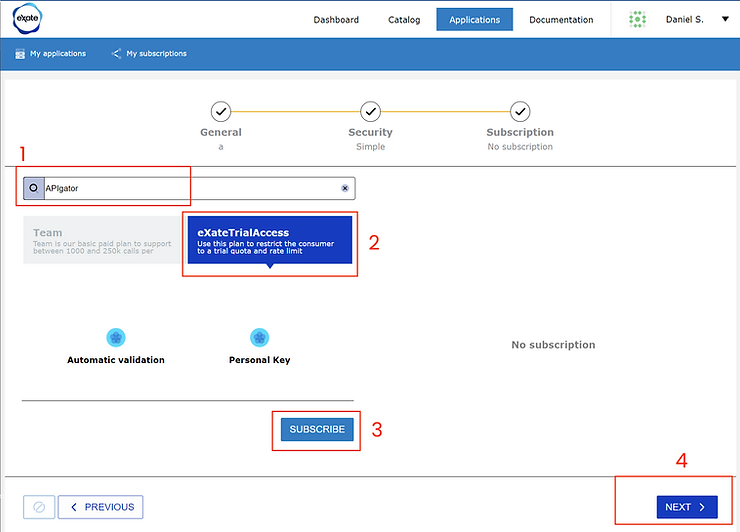
- Subscribe to an eXate source API for your application: choose APIgator from the search box and eXateTrialAccess (the free API plan), click SUBSCRIBE, then NEXT
- Click CREATE THE APP to complete
If your application was created successfully, you'll receive confirmation on screen and by email.