Procure your API Key
Once you've created your Application, you'll need an API Key to interact with eXate API Services.
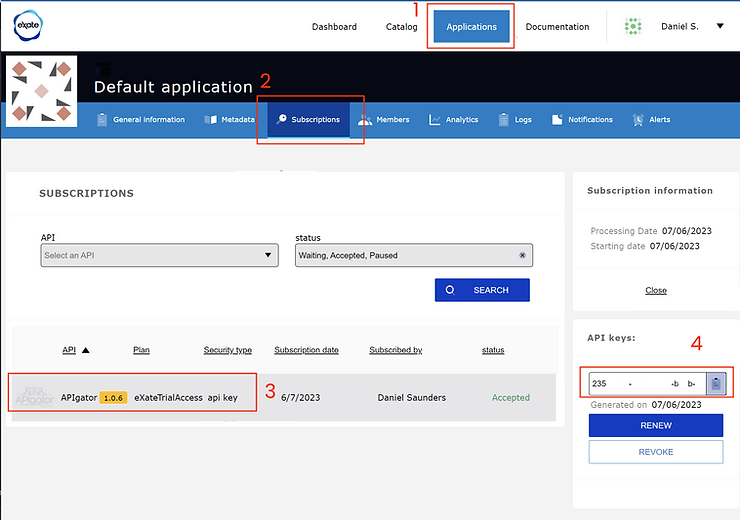
- From the Developer Portal, navigate to Applications on the top menu bar
- Click on the Application card you created previously
- Click Subscriptions in the sub-menu tab
- Click on the Subscription record you created for the APIgator service, eXateTrialAccess plan
- This reveals a pop-up modal containing your API Key (a GUID). Click the copy-to-clipboard icon to record it, you'll need this key for any HTTP requests to an eXate API endpoint