Countries
Now that you've defined what you're protecting, this defines where it's allowed to go.
Data sovereignty rules mean the same Attribute can have different sharing rules depending on which country it originates from and which country is asking for it. eXate models this explicitly: for each country, you configure which other countries it's allowed to share data with, in line with regulatory requirements such as GDPR. A Policy later references this configuration to decide whether a cross-border request is even eligible for consideration, before Claims or Purpose of Use are checked.
Access it via Central Services → Data Management → Countries.
Video walkthrough
From an earlier product version, so field names or screens may have shifted slightly.
Adding a Country
Click the "+" button at the top of the Countries page, then select the country by checking the correct checkbox within its continent grouping.
Viewing and Updating a Country
Click on a country on the Countries page to view or update which countries it can share data with.
Sharing with Third Parties
A Third Party is a client of your client, someone outside your own organisation that you share access with, who can also have Policies configured for them the same way an internal Country/Claims combination would be. It's the same "where is this data allowed to go" question as the rest of this page, just extended to an external party rather than a country.
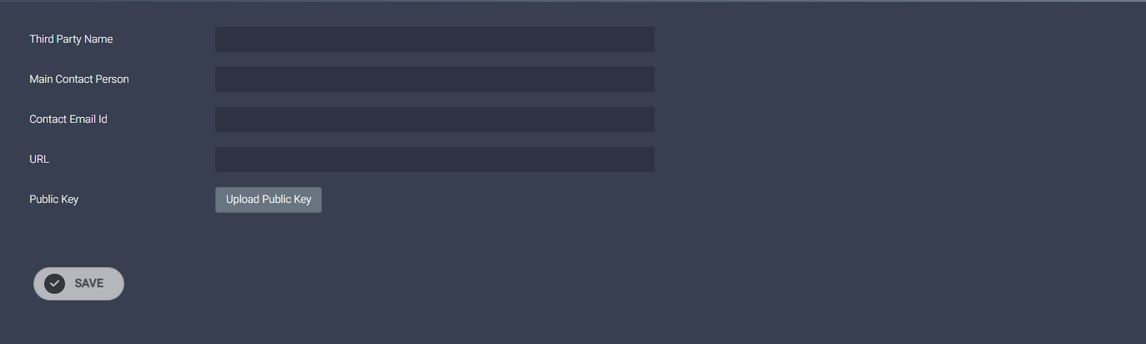
Click the "+" button on the Third Party page (Central Services → Data Management → Third Party) and fill in:
- Name: name of the third party
- Main Contact Person: main contact person of the third party
- Contact Email Id: email address of the third party contact
- URL: URL of the third party
- Public Key: upload the third party's public key
Click the chosen third party entry to view or edit it.
What's next
Attributes and Countries are both reference data: they describe what and where, but not who. The next step is Claims, defining reusable conditions about the person or system making a request. It's a step that's easy to skip past mentally since it doesn't feel like "the real rule" yet, but it's what makes the Policy step after it fast to build and consistent across your whole tenancy.