Create Clients
This task creates a Client in the eXate platform.
- Navigate to Admin, Client from the sidebar menu
- Click the "+" button to add a new Client
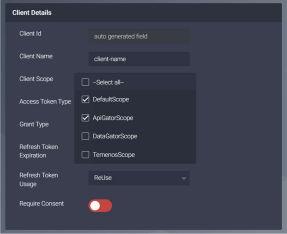
- Fill in all the required information on the form
- Ensure Client Scope:
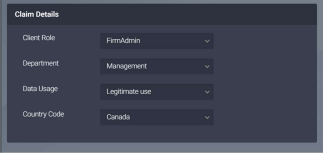
DefaultScopeandApiGatorScopeare selected (see Client Details screenshot below) - Ensure Client Role is set to
FirmAdmin(recommended settings as per the Claim Details screenshot below) - Click Save